Cloudflare Worker
A Worker in front of your site reports every AI visit as it happens. Any Cloudflare plan.
 JoshUpdated 2 min read
How it works
A Cloudflare Worker sends logs to ByDefault. Workers are available on any Cloudflare plan, free plan included.
Set up the Worker
In ByDefault, open Analytics, click Connect your site, then pick Cloudflare and Worker.
-
Open your Workers dashboard. Click Create Application, then Start with Hello World. As a name choose ByDefault Analytics. Click Deploy.
-
On the Worker's overview, click Edit code, replace the code with the one from the setup, then click Deploy again:
worker.js -
On the Worker, open the Domains tab, add a Route, and enter these, with your own domain:
-
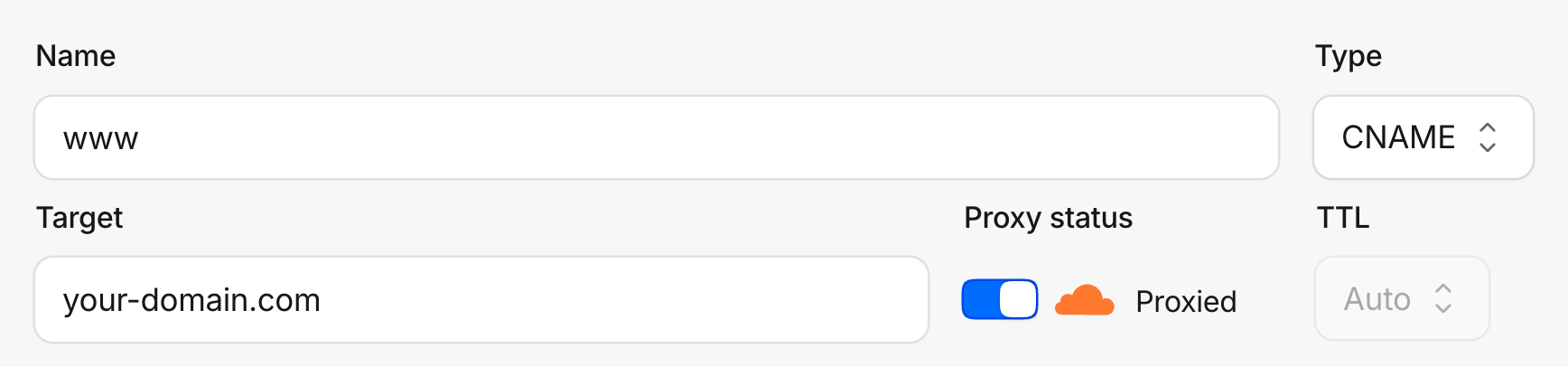
Under DNS → Records, make sure the A, AAAA or CNAME records for your domain show the orange cloud, Proxied. On a grey cloud, traffic bypasses Cloudflare, so the Worker never runs.
Check the connection
While the setup is open, ByDefault visits your site the way an AI assistant would, every few seconds. When the Worker first reports, the last step reads Your worker reached us. Once it reports our visit, the step turns green.
Troubleshooting
It says Your worker reached us but never turns green
The Worker runs, but not on the page ByDefault visits. Check that the route covers your
whole domain, *example.com/* with the leading star, so both www and the bare domain
go through it.
Nothing arrives at all
Check that you clicked Deploy after pasting the code, that the route's zone is your domain, and that your DNS records are Proxied.
Did this answer your question?